

No articles found :(
How to Integrate BambooHR with Dots
Learn how to sync your employee data from BambooHR with Dots using API integration.
Step 1: Navigate to the Integration Page in your Dots dashboard.
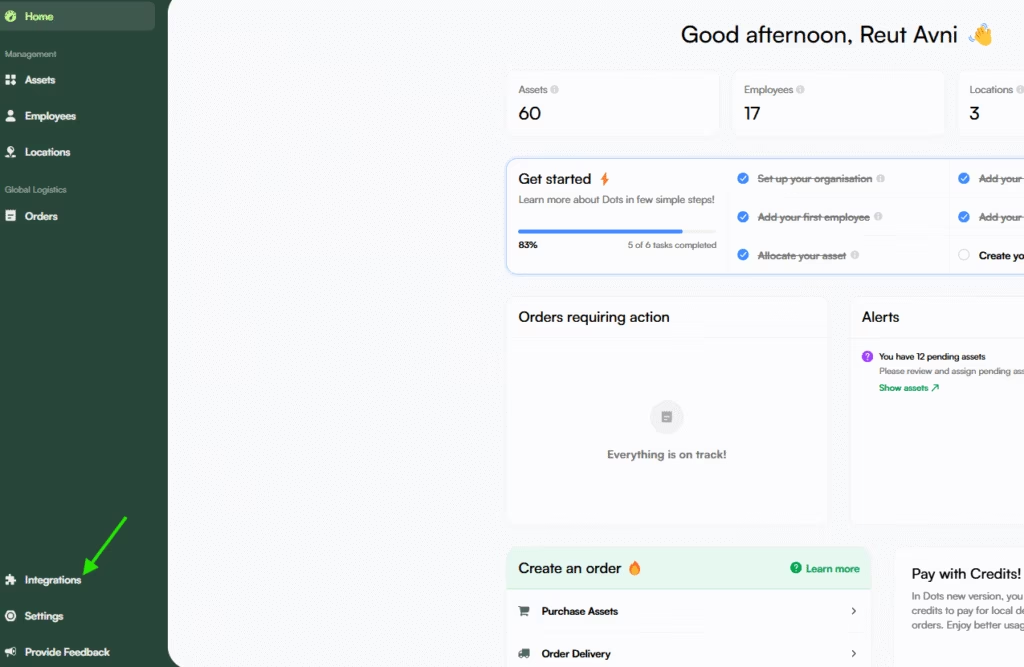
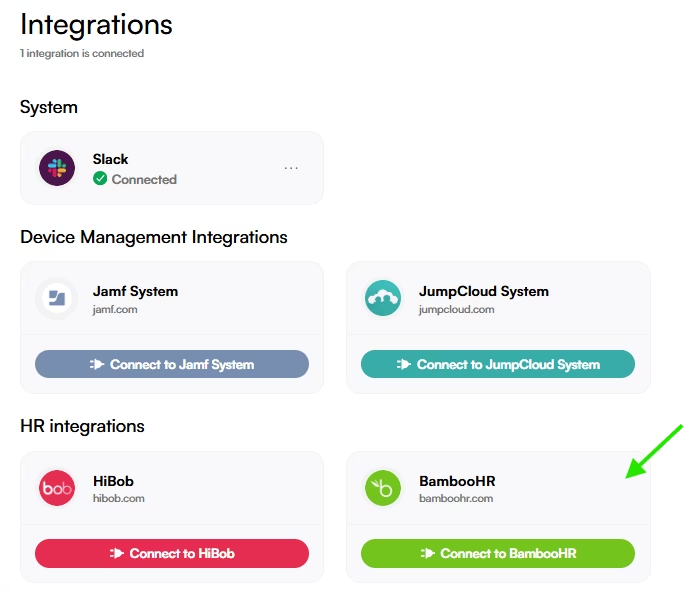
Step 2: Select BambooHR and approve access.
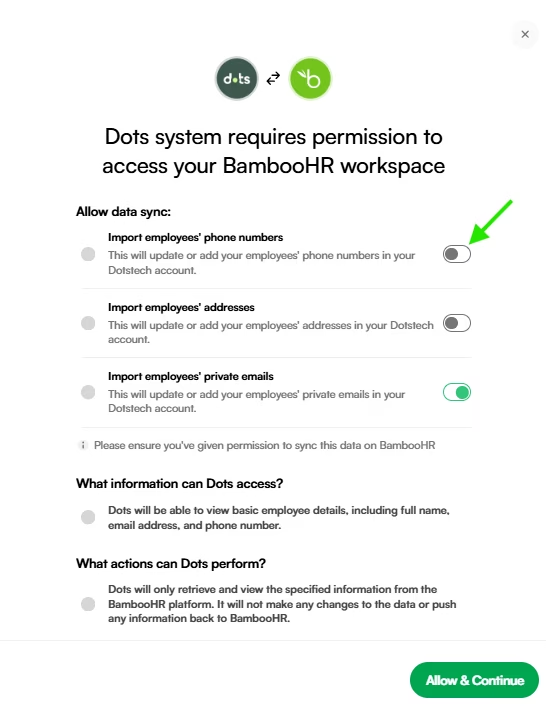
Step 3: Grant Dots permissions to access your BambooHR workspace.
To ensure seamless onboarding, offboarding, and asset management, we kindly request that you approve permissions for the following options:
- Import employees’ phone numbers
- Import employees’ addresses
- Import employees’ private emails
While these permissions are not mandatory, providing them will enable Dots to access & save the necessary employee information for optimal performance.
Click on Allow & Continue.
Step 4: BambooHR System integration setup can be done in 2 ways:
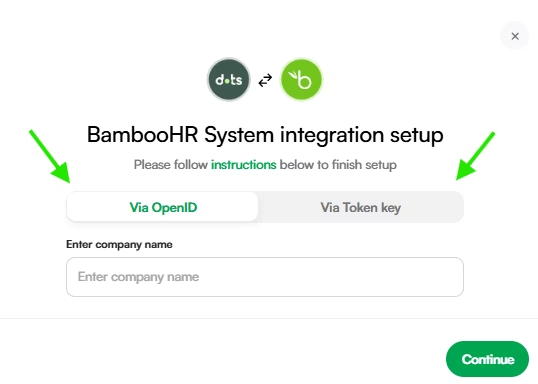
1. OpenID:
- Enter your company sub domain in the “Enter company name” field.
For example if your URL is:https://abc.bamboohr.com/
You need to enter abc as your company name. - Click “Continue“.
Integration is complete!
2. Token Key:
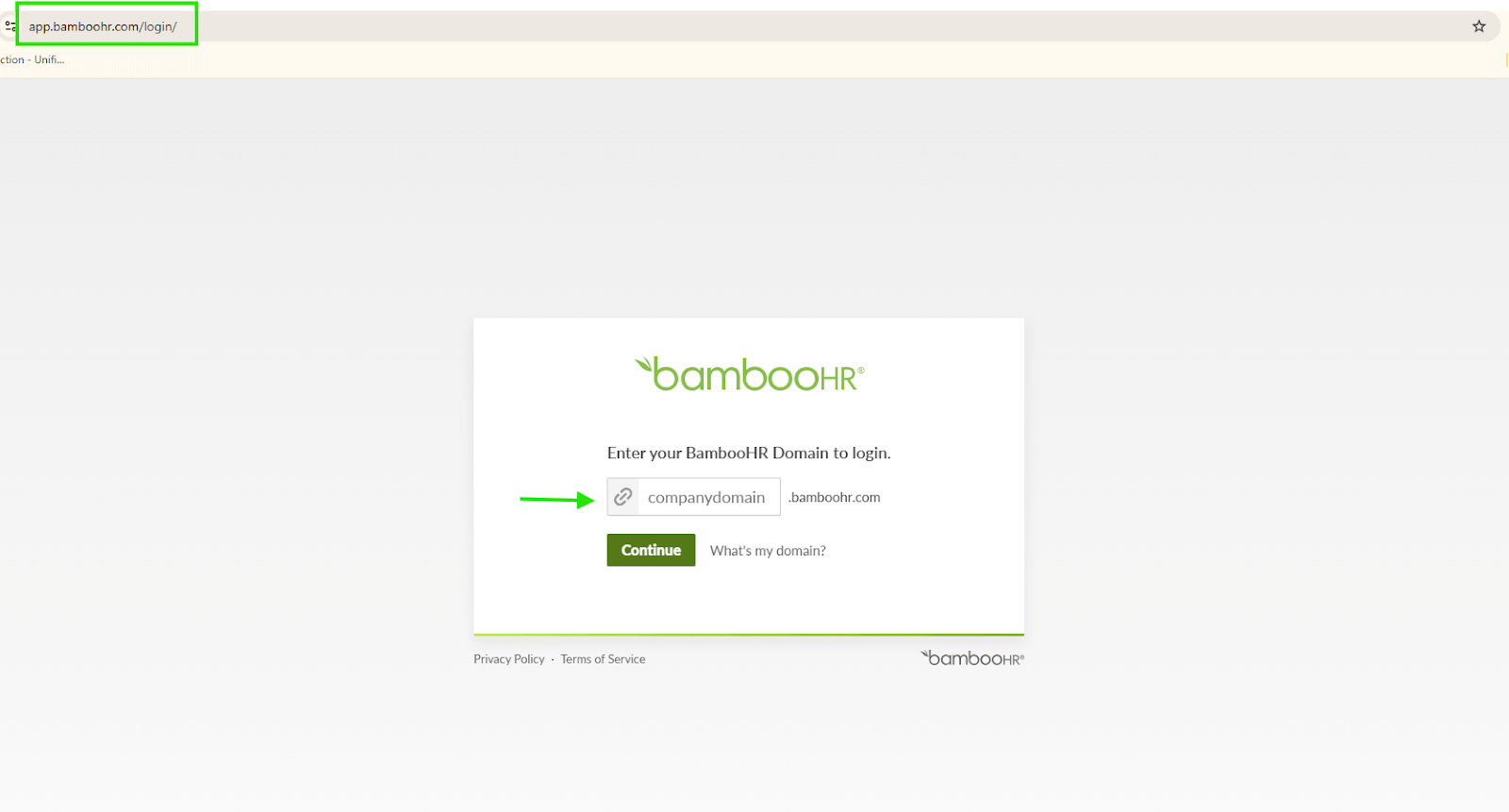
- Login to your company BambooHR account: https://app.bamboohr.com/login/
Make sure to use the correct Sub Domain & administrator login.
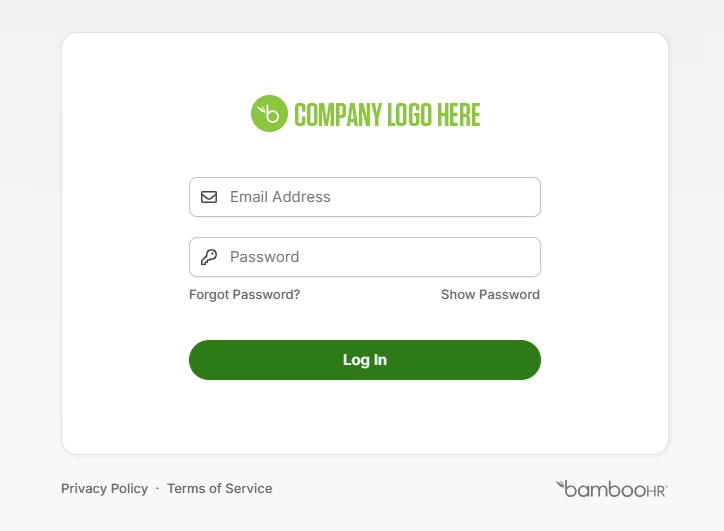
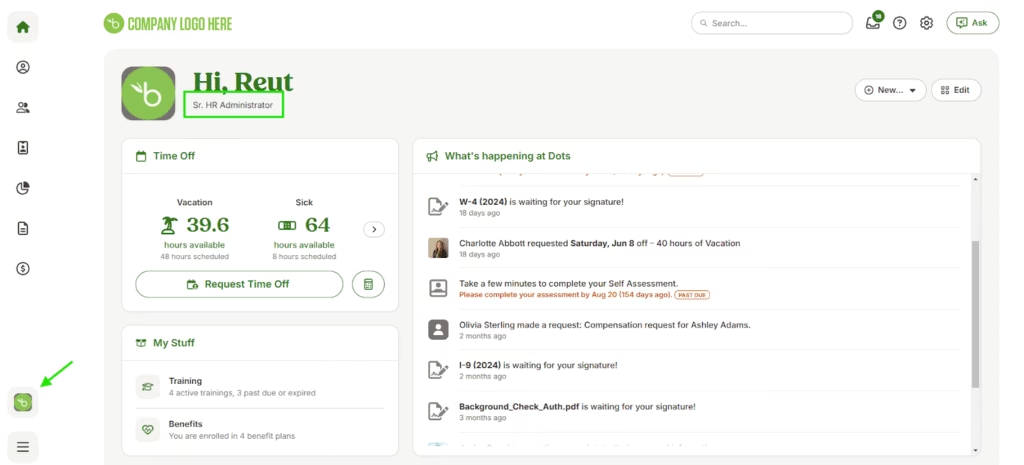
- Log In to your BambooHR dashboard Home Page and click on the left side icon of BambooHR and then choose “API key” from the index.
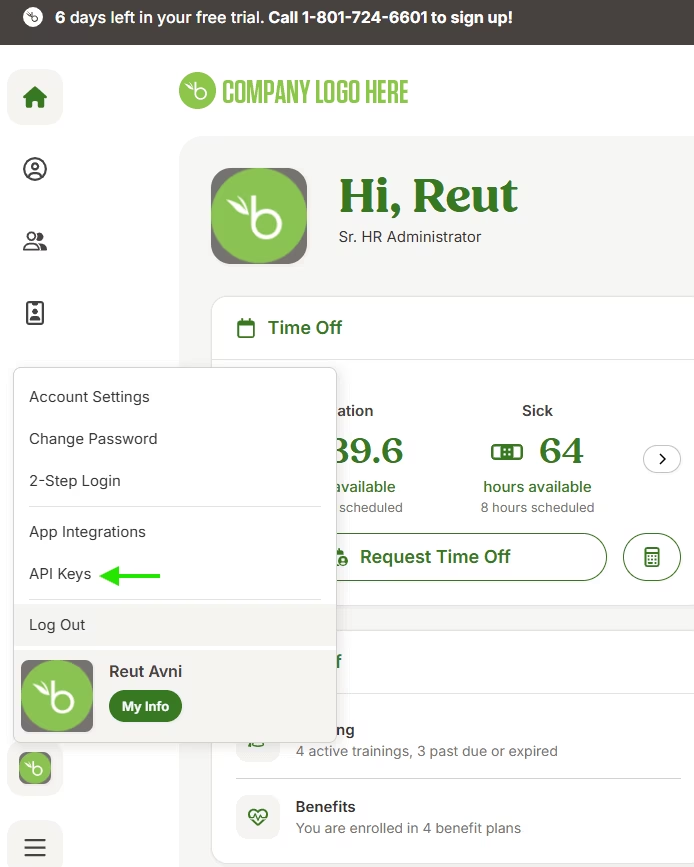
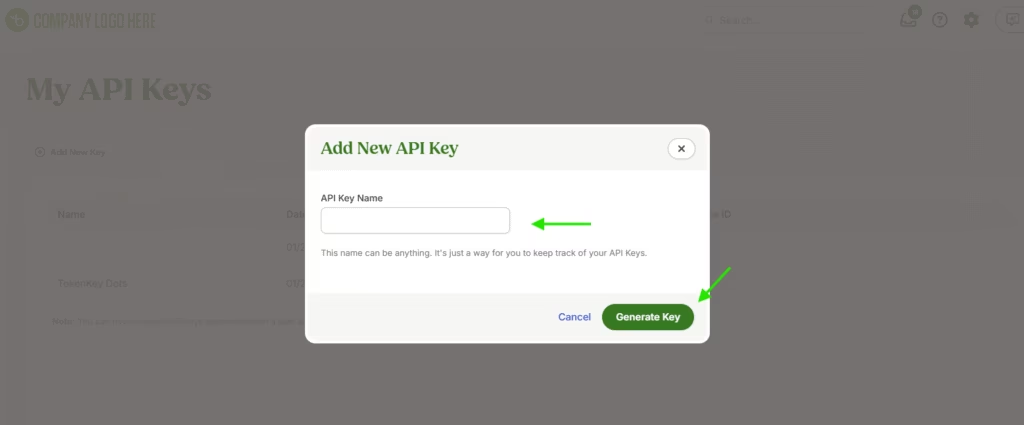
- Click on “Add New Key“.
- Give the Key a meaningful name so you will remember what it is for and click “Generate Key“.
- Copy the API Key.
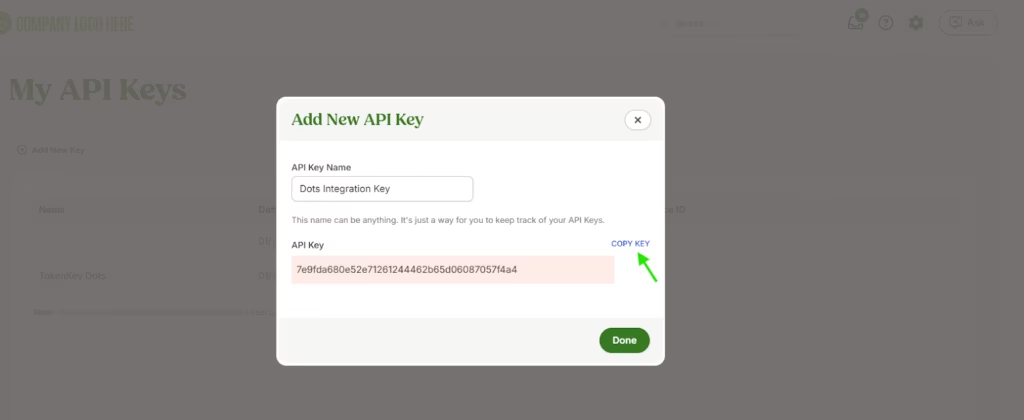
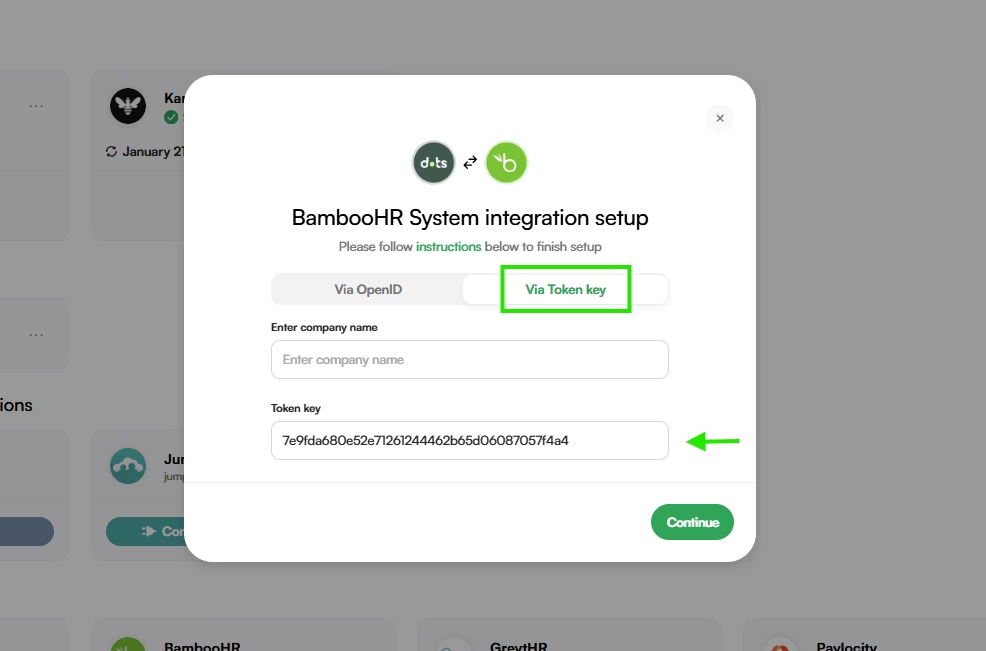
- Paste the Key to the dots platform with your company’s HR bamboo subdomain.
For example: If your BambooHR URL is:https://acb.bamboohr.com/
Your subdomain will be abc.
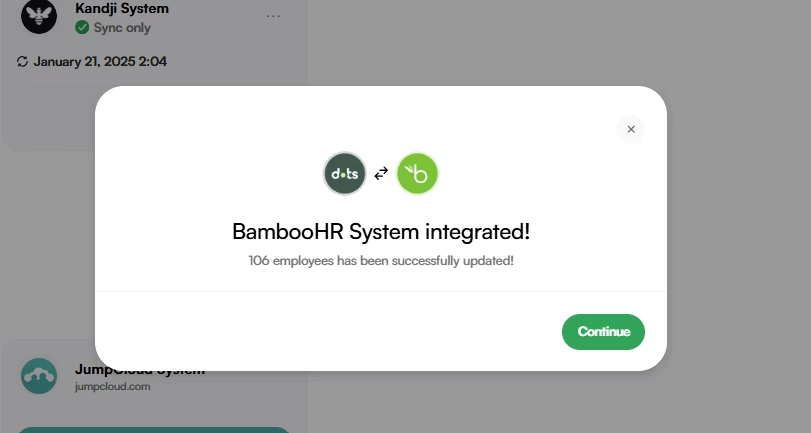
- Click “Continue“.
Congrats, integration is complete!
If you had any issues during this integration please contact our support from your Dots dashboard (Bottom left index) or send us an email to [email protected].
What this article helpful?

